
Add Highlight/Pin a specific post within a topic
-
Is it possible to add the ability for admins and moderators to visually highlight a specific post within a topic, directly from the post's edit/tools menu (the
⋮ellipsis menu) ?Currently, NodeBB only allows pinning an entire topic to the top of a category. There is no native way to draw attention to a specific reply or post within a long thread.
This is particularly useful when:
- A moderator or admin posts an important update mid-thread (e.g. rule changes, announcements, warnings)
- A staff message needs to stand out from regular user replies
- A thread is reopened with new conditions and the relevant post needs to be immediately visible
Right now, the only workaround is to manually add custom CSS targeting the post's
data-pidattribute which is not user-friendly and requires admin-level CSS knowledge.When enabled, the post would:
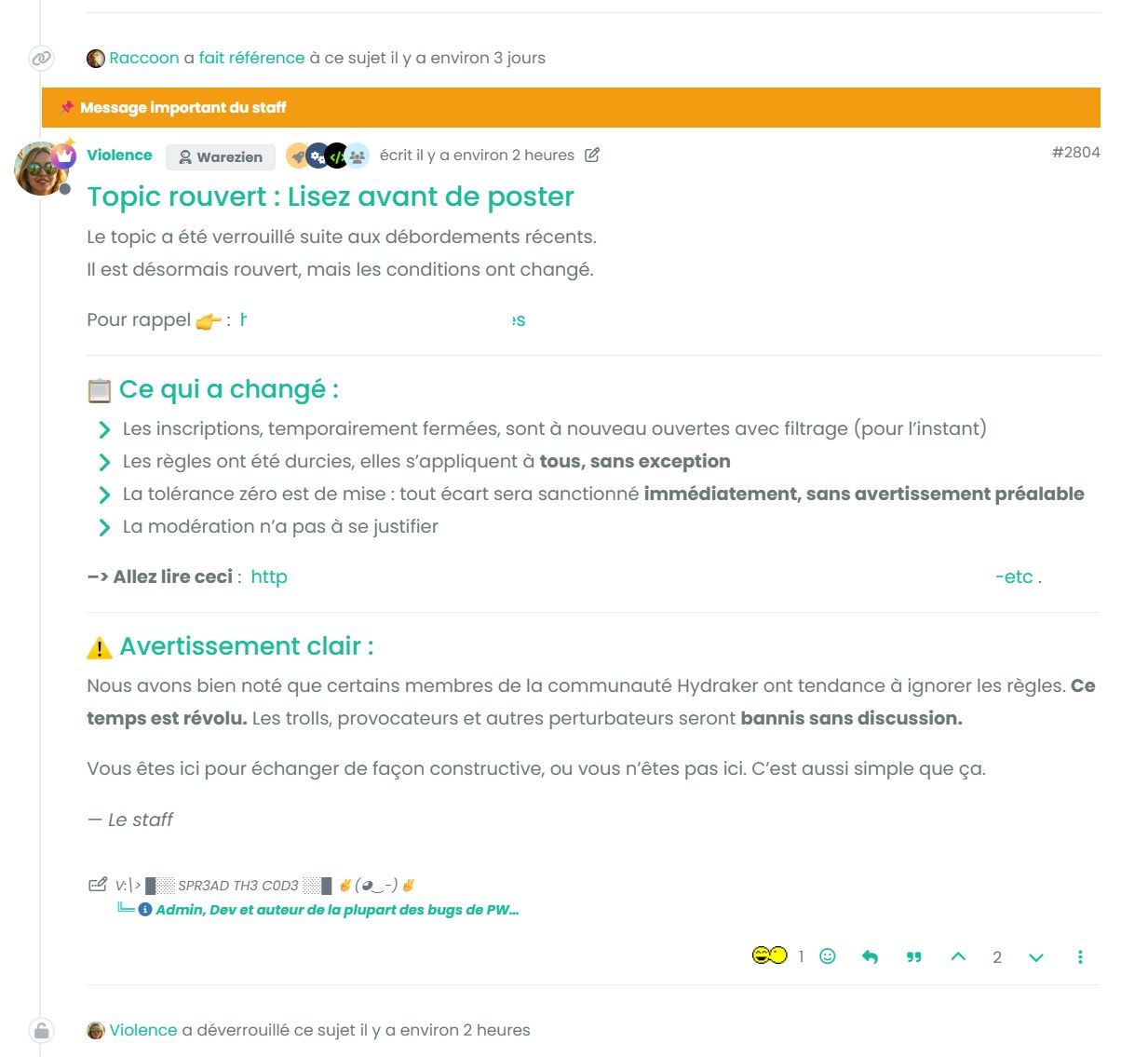
- Display a visible banner/label above the post content (e.g. "
 Important staff message" or other message)
 - Have a distinct visual style (colored border, background) to stand out from regular posts
- Be toggleable (highlight / remove highlight)
- Optionally allow a custom label text to be set
Suggested UI
- In the
⋮post tools menu:📌 Highlight this post - A modal or inline input to optionally set a custom label
- A highlighted post could expose a
data-highlightedattribute or a.highlightedclass for theme-level styling
Current Workaround
li.material[component="post"][data-pid="XXXXX"]::after {
    content: "📌 Important staff message";
    position: absolute;
    top: 0; left: 0; right: 0;
    background: #f39c12;
    color: #fff;
    font-weight: bold;
    padding: 6px 14px;
}
Example
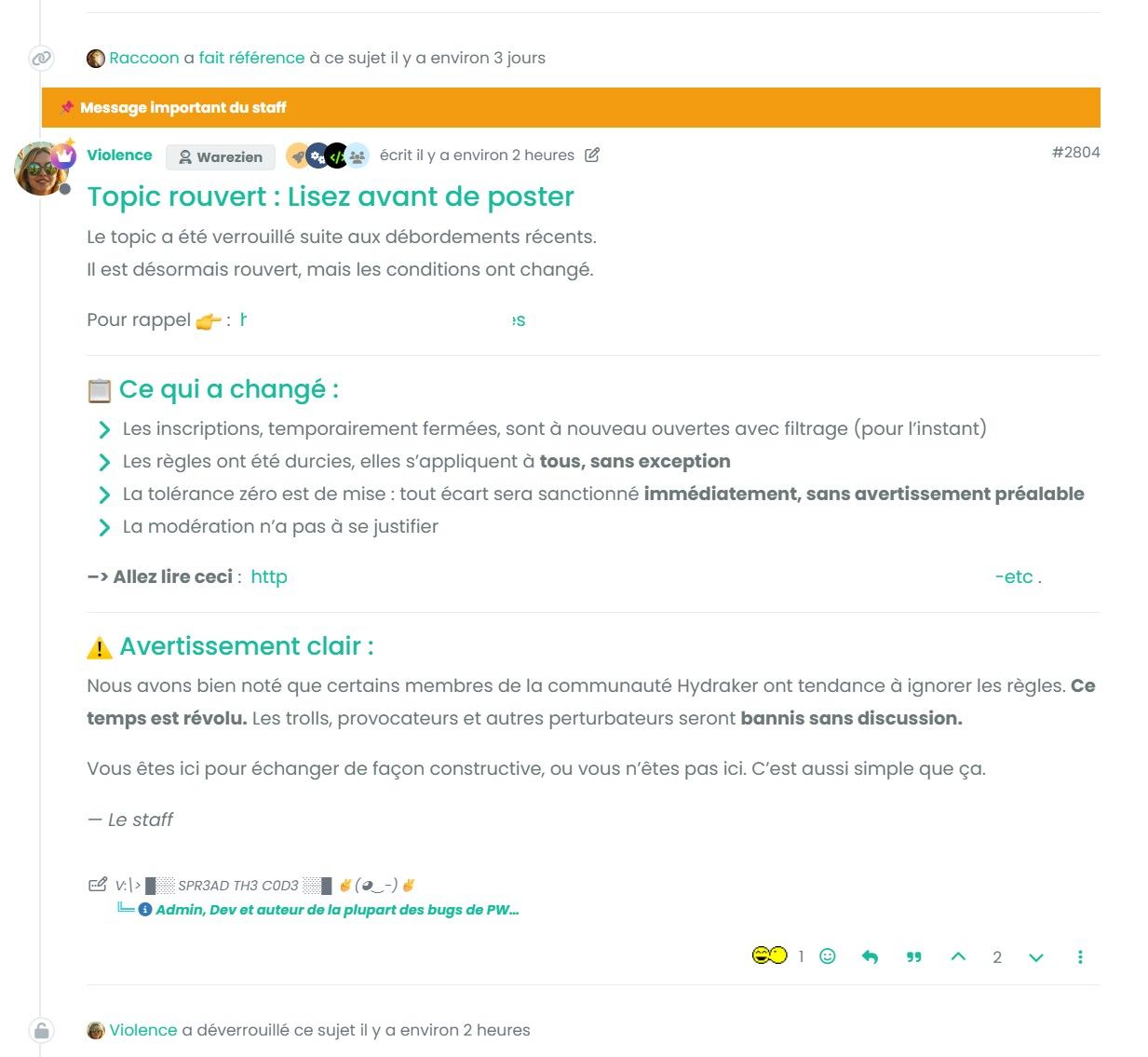
This works but requires manual CSS editing per post and breaks on theme changes.
Many thanks
-
Is it possible to add the ability for admins and moderators to visually highlight a specific post within a topic, directly from the post's edit/tools menu (the
⋮ellipsis menu) ?Currently, NodeBB only allows pinning an entire topic to the top of a category. There is no native way to draw attention to a specific reply or post within a long thread.
This is particularly useful when:
- A moderator or admin posts an important update mid-thread (e.g. rule changes, announcements, warnings)
- A staff message needs to stand out from regular user replies
- A thread is reopened with new conditions and the relevant post needs to be immediately visible
Right now, the only workaround is to manually add custom CSS targeting the post's
data-pidattribute which is not user-friendly and requires admin-level CSS knowledge.When enabled, the post would:
- Display a visible banner/label above the post content (e.g. " Important staff message" or other message)
- Have a distinct visual style (colored border, background) to stand out from regular posts
- Be toggleable (highlight / remove highlight)
- Optionally allow a custom label text to be set
Suggested UI
- In the
⋮post tools menu:📌 Highlight this post - A modal or inline input to optionally set a custom label
- A highlighted post could expose a
data-highlightedattribute or a.highlightedclass for theme-level styling
Current Workaround
li.material[component="post"][data-pid="XXXXX"]::after {
    content: "📌 Important staff message";
    position: absolute;
    top: 0; left: 0; right: 0;
    background: #f39c12;
    color: #fff;
    font-weight: bold;
    padding: 6px 14px;
}
Example
This works but requires manual CSS editing per post and breaks on theme changes.
Many thanks
@DownPW it sounds like you are looking for the "suggested answer" part of the question and answer plugin.
When an answer is selected, it is floated to the top of the replies.


Hello! It looks like you're interested in this conversation, but you don't have an account yet.
Getting fed up of having to scroll through the same posts each visit? When you register for an account, you'll always come back to exactly where you were before, and choose to be notified of new replies (either via email, or push notification). You'll also be able to save bookmarks and upvote posts to show your appreciation to other community members.
With your input, this post could be even better 💗
Register Login