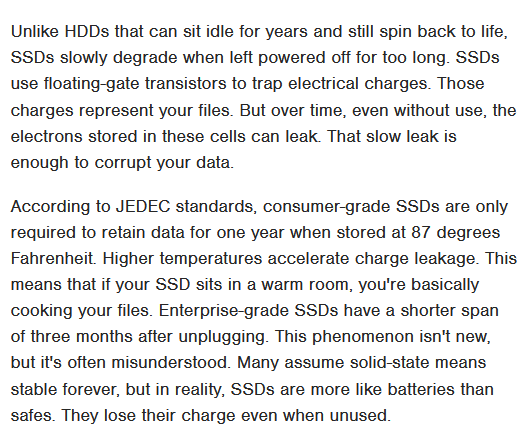
TIL that SSDs can lose data if left unplugged for long periods of time (only required to hold data up to 1 year), unlike HDDs which as long as the material holds it can take years.
-
@raymaccarthy @djlink … the charge it holds is your bits (mutliple, because on most SSDs these days you get more than two states); the only way that loses data is by tunneling of charge through the dielectric, which follows a shot noise model. Information-theoretically, we call this a "Z-channel", because you can only get from higher to lower states, never the other way around.
Now, if left alone, a couple of these bits will actually flip – that's why there's extensive forward error correction –@raymaccarthy @djlink but as long as the number of these high->low state degradations is small enough, that's correctable. Flash memory is already, without long-term storage effects, a lossy medium, which you have to design your error correction for!
So, when an SSD manufacturer designs that error correction (namely, which code to use, and thus how many bits per information word to add as redundancy), they have to design it in such a way that at some erase-write cycle reliability they want to -
@raymaccarthy @djlink but as long as the number of these high->low state degradations is small enough, that's correctable. Flash memory is already, without long-term storage effects, a lossy medium, which you have to design your error correction for!
So, when an SSD manufacturer designs that error correction (namely, which code to use, and thus how many bits per information word to add as redundancy), they have to design it in such a way that at some erase-write cycle reliability they want to@raymaccarthy @djlink sell to the customer. But that same redundancy that helps when cells' dielectric layers degrade due to repeated high-voltage "zapping" (right, you apply a high |E| to the cell to implant charge in flash memory!) and doesn't hold charge as well also helps with long-term storage. Just that the effect of "time and temperature", as you can imagine, is a lot smaller than the effect of "make that dielectric experience what would be called a breakdown if it was macroscopic"!
Hence -
@raymaccarthy @djlink sell to the customer. But that same redundancy that helps when cells' dielectric layers degrade due to repeated high-voltage "zapping" (right, you apply a high |E| to the cell to implant charge in flash memory!) and doesn't hold charge as well also helps with long-term storage. Just that the effect of "time and temperature", as you can imagine, is a lot smaller than the effect of "make that dielectric experience what would be called a breakdown if it was macroscopic"!
Hence@raymaccarthy @djlink I'm really not sure where the idea that a powered SSD would be more reliable than an unpowered one – that could only be true if it would be re-writing itself in the background, which would, counter to the intent, make it wear out faster, unless the SSD is essentially unused and the re-writing was free to use arbitrary much rarely or never used pages to copy the data to. But even that would be very undesirable – who wants an SSD with a standby power usage as if written to?)
-
@digitalstefan @djlink
The highest capacity CF car I have is 1G Byte. It's about x3 the area of the 512G Byte SSD. So the cells could be over 2000x bigger. Likely to be more stable.I have a 1T micro SD Card in an ex-Chromebook running Linux Mint (64K Flash drive). I don't expect much life from it even powered mostly daily, but the contents are on my server, 2x workstations and a "real" laptop. The 2x workstations and laptop each have SSD and an HDD for user data.
@raymaccarthy @djlink It's a wonder that we have such sophisticated storage options, but finding out that data retention is poor for SSD's is a bit unnerving.
I have a good backup strategy at home, but I would be annoyed if I lost data to this kind of problem.
My "proper" storage journey started with an 80MB 2.5" HD in an Amiga an has culminated in a 2TB and 4TB SSD in my PC, 2TB in my Framework laptop, 2TB MacBook and 2TB SSD + 2TB microSD in a Steamdeck.
Bonkers, if you think about it.
-
@raymaccarthy @djlink Ray, I'm sorry, but do you actually understand how flash memory works? powering on the SSD does exactly *nothing* to the cells until you at least read them (in which case you get a slight read wear on the cell and its neighbors), and you won't increase the charge levels inside a cell unless you erase and rewrite it, which does more damage, so the speed of charge leaking is higher than if you've just let the data alone.
(I mean, you're an EE – so model your gate capacitor!
@funkylab @djlink
There are no ideal options for SSD. That's why I have backups and the user data on my workstations and main laptop is on HDD (conventional, not shingled or helium etc). The OS is easily installed and restored from backup on a new SSD.
The point is that an unused conventional HDD will last for decades. That's unlikely for SSDs or any high capacity SD card, USB stick etc. -
@funkylab @djlink
There are no ideal options for SSD. That's why I have backups and the user data on my workstations and main laptop is on HDD (conventional, not shingled or helium etc). The OS is easily installed and restored from backup on a new SSD.
The point is that an unused conventional HDD will last for decades. That's unlikely for SSDs or any high capacity SD card, USB stick etc.@raymaccarthy @djlink I honestly find the opposite to be the case - HDDs can expose mechanical degradations (air barriers, motor bearings) that tend to work against you when you leave them unpowered. But this isn't about HDDs; it's about the myth that powering on an SSD will help data retention.
-
@raymaccarthy @djlink I honestly find the opposite to be the case - HDDs can expose mechanical degradations (air barriers, motor bearings) that tend to work against you when you leave them unpowered. But this isn't about HDDs; it's about the myth that powering on an SSD will help data retention.
@raymaccarthy @djlink and again, it's pretty likely that a not overly written to SSD does indeed retain data many years; it gets problematic only when close to write volume limits. I feel like I've explained that already.
-
@raymaccarthy @djlink Ray, I'm sorry, but do you actually understand how flash memory works? powering on the SSD does exactly *nothing* to the cells until you at least read them (in which case you get a slight read wear on the cell and its neighbors), and you won't increase the charge levels inside a cell unless you erase and rewrite it, which does more damage, so the speed of charge leaking is higher than if you've just let the data alone.
(I mean, you're an EE – so model your gate capacitor!
@funkylab @djlink
The point of the article is that an SSD (and most high capacity things like SD Cards & USB sticks) will fade in a drawer.Yes, usage is an issue too. That's why I have multiple backups and none use SSD/Flash. The "server" is only used for online backups and occasional file transfer (no Web, email, gateway, SQL, MS WUS etc for over a decade) and is in a shed ("off site") with local UPS powered from main Solar UPS. HDD only. Also offline backups.
-
TIL that SSDs can lose data if left unplugged for long periods of time (only required to hold data up to 1 year), unlike HDDs which as long as the material holds it can take years.
Edit: added link: https://www.slashgear.com/1893447/dont-leave-your-old-ssd-unplugged/
-
@raymaccarthy @djlink I honestly find the opposite to be the case - HDDs can expose mechanical degradations (air barriers, motor bearings) that tend to work against you when you leave them unpowered. But this isn't about HDDs; it's about the myth that powering on an SSD will help data retention.
@funkylab @djlink
NO, the article isn't about powering up SSDs, but they fade in a drawer.
It's proven that HDDs generally don't wear out when powered off. The bearings etc only degrade when they are spinning.
The big plus on SSDs is random access speed, not reliability, for a home user. They are not a backup medium. An SSD in an external USB box is useful for file transfer, not backups. -
@funkylab @djlink
NO, the article isn't about powering up SSDs, but they fade in a drawer.
It's proven that HDDs generally don't wear out when powered off. The bearings etc only degrade when they are spinning.
The big plus on SSDs is random access speed, not reliability, for a home user. They are not a backup medium. An SSD in an external USB box is useful for file transfer, not backups.@raymaccarthy I was reacting to @djlink post, not the article whose authors will never read this.
-
@raymaccarthy @djlink I'm really not sure where the idea that a powered SSD would be more reliable than an unpowered one – that could only be true if it would be re-writing itself in the background, which would, counter to the intent, make it wear out faster, unless the SSD is essentially unused and the re-writing was free to use arbitrary much rarely or never used pages to copy the data to. But even that would be very undesirable – who wants an SSD with a standby power usage as if written to?)
@funkylab @djlink
No, the main point is that an unpowered SSD isn't reliable compared even to floppies (though they are sensitive to storage conditions). I've had difficulty with 20 to 40 year floppies due to poor storage.
I transferred the MFM HDD contents to IDE HDD over 20 years ago. They are gone. -
@raymaccarthy I was reacting to @djlink post, not the article whose authors will never read this.
@raymaccarthy @djlink the statement "if left unplugged" is at best misleading (but really, just a misunderstanding) because data will fade regardless of the SSD being powered or not. And the cited 1 a data retention is also a misunderstanding of test conditions, as overly extensively explained.
-
@raymaccarthy I was reacting to @djlink post, not the article whose authors will never read this.
-
@funkylab @djlink
No, the main point is that an unpowered SSD isn't reliable compared even to floppies (though they are sensitive to storage conditions). I've had difficulty with 20 to 40 year floppies due to poor storage.
I transferred the MFM HDD contents to IDE HDD over 20 years ago. They are gone.@raymaccarthy @djlink you must have had fantastic floppies, mine failed all the time; and I mean, the bit flip probability of 1.44 MB floppies, that's several orders of magnitude worse than that of an SSD even on undisturbed readout! I meanv how many bit flips do you think you'll see when you read 1000 freshly written to floppies? Certainly more than one! you can read that much data from an SSD in less than a second - and it will with probabilities of much better than 1 in 10⁶ have no bit error.
-
@raymaccarthy @djlink now you're just listing obsolete storage technologies, (I don't know project Xanadu) which all have many orders of magnitudes worse bit error rates than modern SSDs.
-
@raymaccarthy @djlink the statement "if left unplugged" is at best misleading (but really, just a misunderstanding) because data will fade regardless of the SSD being powered or not. And the cited 1 a data retention is also a misunderstanding of test conditions, as overly extensively explained.
-
@raymaccarthy @djlink that's because of cost per bit, not because of reliability.
-
@raymaccarthy @djlink now you're just listing obsolete storage technologies, (I don't know project Xanadu) which all have many orders of magnitudes worse bit error rates than modern SSDs.
@funkylab @djlink
It's a matter of perspective. Certainly Zip drives were ghastly. I don't know how long term bubble memory was, but there is lots of stuff more reliable than consumer SSDs or 1T micro SD cards. Also the sudden complete loss of an SD card or SSD (256G to 1000 G) compared to errors on one file on a floppy (0.00144G or even 0.0001) are alarming. -
@funkylab @djlink
It's a matter of perspective. Certainly Zip drives were ghastly. I don't know how long term bubble memory was, but there is lots of stuff more reliable than consumer SSDs or 1T micro SD cards. Also the sudden complete loss of an SD card or SSD (256G to 1000 G) compared to errors on one file on a floppy (0.00144G or even 0.0001) are alarming.@raymaccarthy @djlink you're following nostalgia there, not engineering. you need yo realize that all these ancient storage techniques never amounted to as much storage as your SSD. I'm not even sure there ever was a cumulative Gigabit in bubble storage, and if you read that out, it'd have several thousand errors. Much worse than an SD card left in a desk drawer for a couple of yeara, for sure!