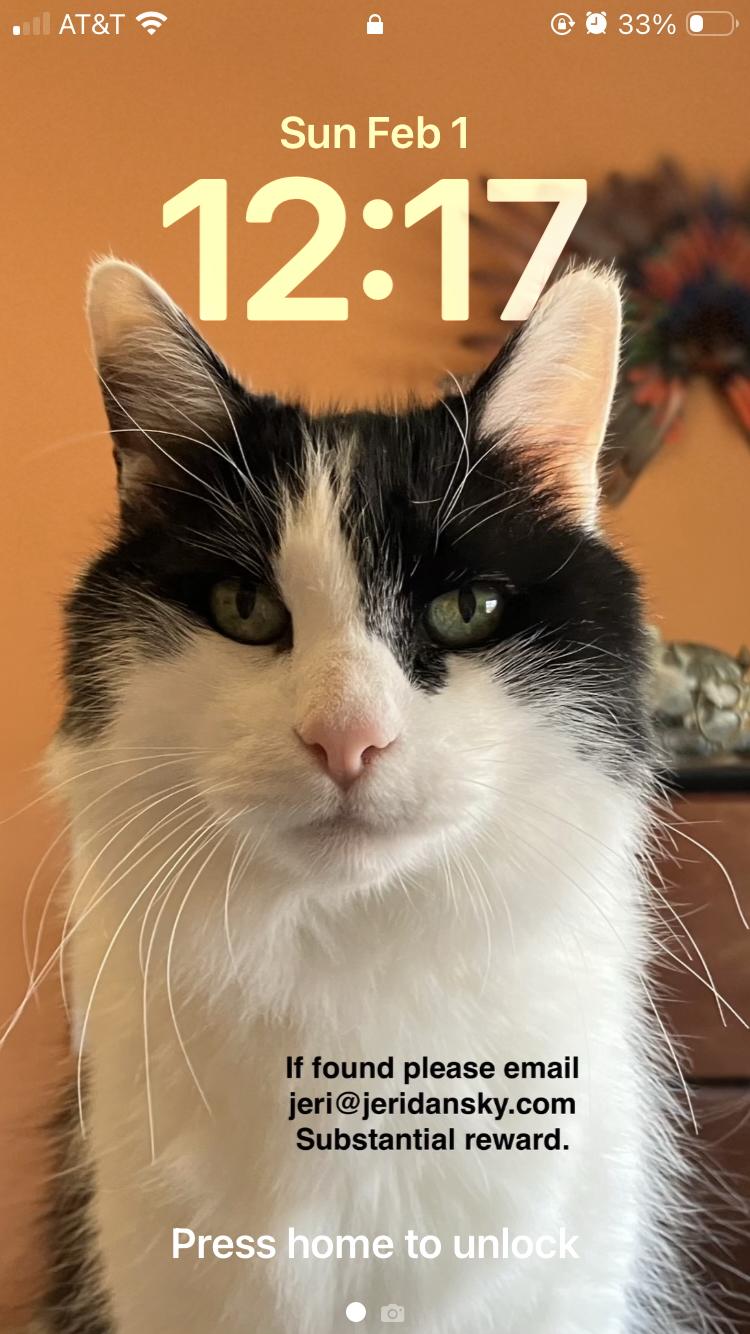
Last night's achievement: Updated my iPhone lock screen.
-
Last night's achievement: Updated my iPhone lock screen.
I put contact info on my home screen in case I ever lose it (unlikely, but still) and my old lock screen had an email address which no longer works.
After finding out how to add text over a photo — which I discovered I can do in Photos on my Mac without using the third-party app I used before — I now have a new lock screen I'm pretty happy with.
-
Last night's achievement: Updated my iPhone lock screen.
I put contact info on my home screen in case I ever lose it (unlikely, but still) and my old lock screen had an email address which no longer works.
After finding out how to add text over a photo — which I discovered I can do in Photos on my Mac without using the third-party app I used before — I now have a new lock screen I'm pretty happy with.
@jeridansky Such a handsome home screen

-
Last night's achievement: Updated my iPhone lock screen.
I put contact info on my home screen in case I ever lose it (unlikely, but still) and my old lock screen had an email address which no longer works.
After finding out how to add text over a photo — which I discovered I can do in Photos on my Mac without using the third-party app I used before — I now have a new lock screen I'm pretty happy with.
@jeridansky that’s so neat! also: you can add text even on your phone using the edit functionality in your native Photos app!
-
@jeridansky that’s so neat! also: you can add text even on your phone using the edit functionality in your native Photos app!
@eniatitova I figured I probably could, but it was easier to do on my Mac with a bigger screen and a real keyboard.
-
Last night's achievement: Updated my iPhone lock screen.
I put contact info on my home screen in case I ever lose it (unlikely, but still) and my old lock screen had an email address which no longer works.
After finding out how to add text over a photo — which I discovered I can do in Photos on my Mac without using the third-party app I used before — I now have a new lock screen I'm pretty happy with.
@jeridansky great idea, Jeri!
There is also a great little app called “Any Text” to add text directly on the home screen as a Home Screen widget, if you wanted another option: https://apps.apple.com/us/app/any-text-widgets/id1643199620
-
@jeridansky great idea, Jeri!
There is also a great little app called “Any Text” to add text directly on the home screen as a Home Screen widget, if you wanted another option: https://apps.apple.com/us/app/any-text-widgets/id1643199620
@exkclamation So far I've avoided adding any widgets, but I can see how this one would be useful. Thanks!