
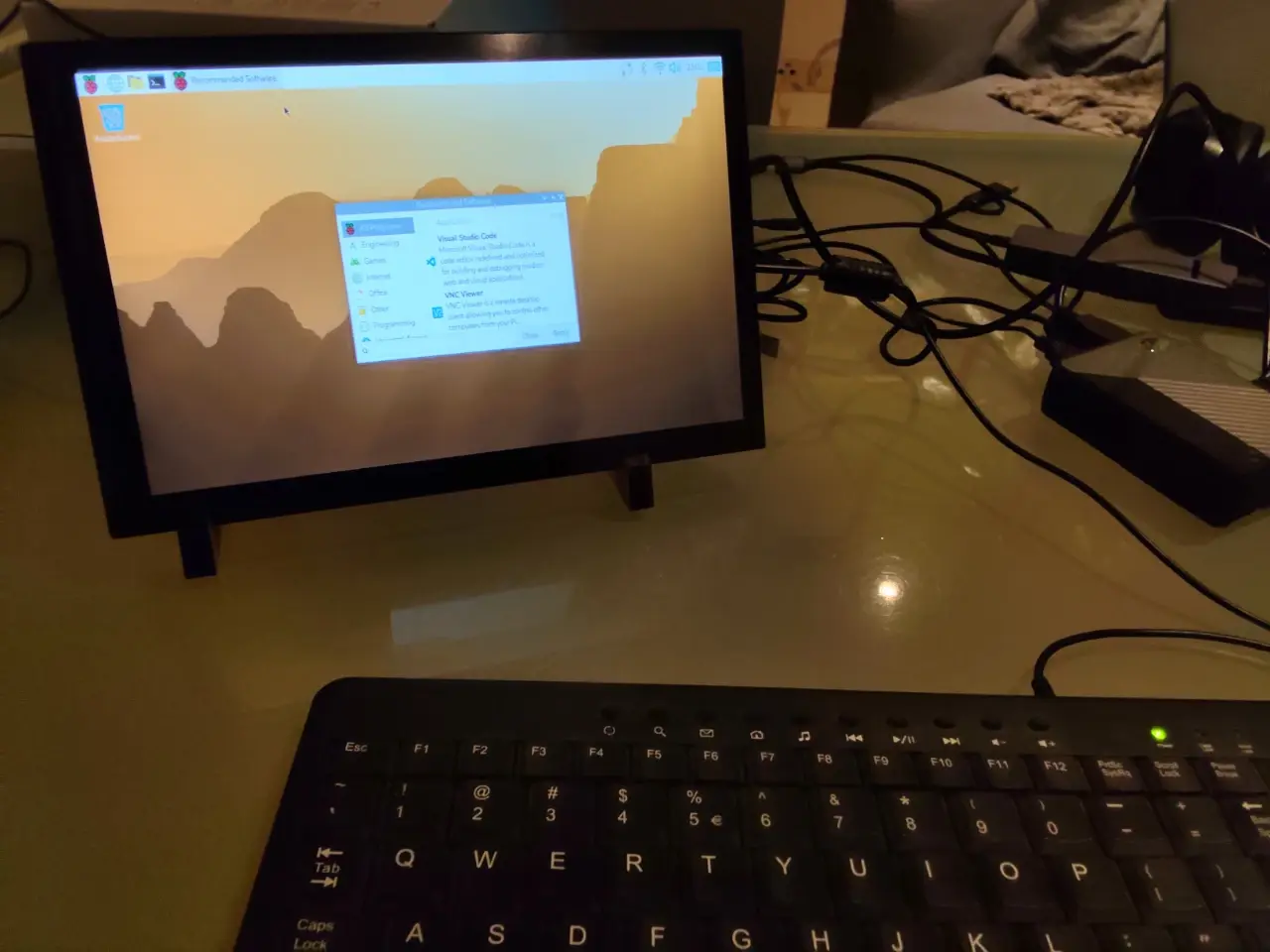
Ok some #raspberrypi with touchscreen updates.
-
Ok some #raspberrypi with touchscreen updates.
My aim is to have a tablet with #linux capabilities. And my first idea was why not use a raspberrypil
Well, read on, there are many hurdles. using pi 4 b
"normal" touchscreens do not work on the pi. Don't now why: screen works fine, but no touch.
I now have an elecrow 10.1 inch touchscreen (through Amazon, , nowhere else to find.
It works with touchscreen when use and sdsc card. It doesnt when I use USB based ssd m2.
1/n -
Ok some #raspberrypi with touchscreen updates.
My aim is to have a tablet with #linux capabilities. And my first idea was why not use a raspberrypil
Well, read on, there are many hurdles. using pi 4 b
"normal" touchscreens do not work on the pi. Don't now why: screen works fine, but no touch.
I now have an elecrow 10.1 inch touchscreen (through Amazon,, nowhere else to find.
It works with touchscreen when use and sdsc card. It doesnt when I use USB based ssd m2.
1/nHowever: Linux on pi is not suited for touchscreen very much. You can't close Windows with touch: the X is too small. And the on-screen Keyboard is much too big and there's only one size, no choices.
Perhaps other distro' are better, but I am thinking #linux on raspberrypi is just not suited to make a tablet, certainly not on a 10 inch screen.
But please do give me tips what could work, perhaps there is a good way to make a somewhat usable Linux tablet with a pi and Linux?
Meanwhile my new strategy will be -
However: Linux on pi is not suited for touchscreen very much. You can't close Windows with touch: the X is too small. And the on-screen Keyboard is much too big and there's only one size, no choices.
Perhaps other distro' are better, but I am thinking #linux on raspberrypi is just not suited to make a tablet, certainly not on a 10 inch screen.
But please do give me tips what could work, perhaps there is a good way to make a somewhat usable Linux tablet with a pi and Linux?
Meanwhile my new strategy will bemy Strategy to have #linux capabilities on a tablet now is to use Linux under #android. To get rid of my ipad (since the new ipados is horrible and the email app was always horrible) I got myself a 12inch Android pocopad. And going to experiment with #termux
Will post under hashtag #LinuxTablet -
However: Linux on pi is not suited for touchscreen very much. You can't close Windows with touch: the X is too small. And the on-screen Keyboard is much too big and there's only one size, no choices.
Perhaps other distro' are better, but I am thinking #linux on raspberrypi is just not suited to make a tablet, certainly not on a 10 inch screen.
But please do give me tips what could work, perhaps there is a good way to make a somewhat usable Linux tablet with a pi and Linux?
Meanwhile my new strategy will be@hanscees you might try DietPi, a debian/armbian derivative for Pi. I use it headless on a arm64 SBC. If you manage to get it working with your screen, you might be happy and install Gnome Desktop. I thought that Gnome is suitable for touch screens?
-
However: Linux on pi is not suited for touchscreen very much. You can't close Windows with touch: the X is too small. And the on-screen Keyboard is much too big and there's only one size, no choices.
Perhaps other distro' are better, but I am thinking #linux on raspberrypi is just not suited to make a tablet, certainly not on a 10 inch screen.
But please do give me tips what could work, perhaps there is a good way to make a somewhat usable Linux tablet with a pi and Linux?
Meanwhile my new strategy will be@hanscees I think it really depends on how the desktop is setup. I've run Phosh and Gnome on PostmarketOS phones and they were fine for navigation.
Maybe try them to see if one of them can work for you?
I'm not sure if rpios has them in their repo but pmos does for certain, assuming others like dietpi and straight Alpine do as well.
JAT
-
R AodeRelay shared this topic

